KBX TM project44 Account Request

Connect KBX TM with project44 to automate load tracking using GPS data from your ELD provider, no manual status entry required.

Before You Begin

If you have not already been in contact with a KBX team member, please pause and do so before proceeding.

Complete the KBX Technology Solutions Project44 Questionnaire to provide us with your account and system details.

If you do not already have a KBX TM account, follow the steps below to register.

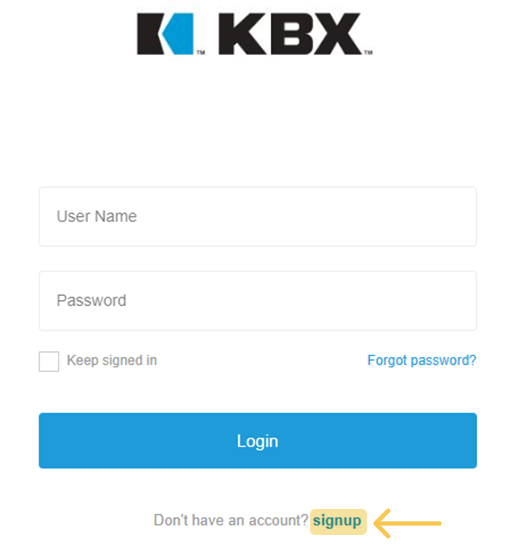
Step 1 – Sign Up

  • Fill out the registration form with your first name, last name, company, user ID, email, password, and password confirmation.
  • Note: Your user ID must be unique and not already in use.
Signup to KBX

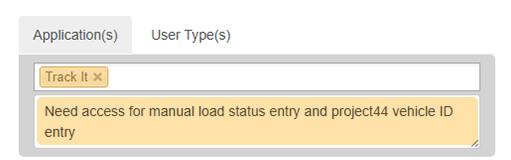
Step 2 – Select “Track It”

  • From the application options, choose Track It.
  • In the notes field, add information for manual load status entry and project44 vehicle ID entry (see example image).
Track entry

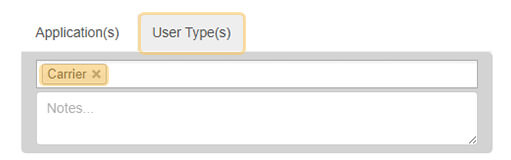
Step 3 – Set User Type

  • Click on the User Types tab.
  • 从下拉菜单中选择运营商。
Set up

步骤 4 – 审查和确认

  • 阅读条款和条件,然后点击注册。
  • 您将收到一封确认电子邮件,必须先确认电子邮件才能访问。

我们的 KBX TM 管理团队将在以下时间与您联系:

  • 您的账户安全已更新
  • 或者需要其他信息来完成设置


使用 Project44

有关账户激活后使用 Project44 的详细说明,请阅读下面的 Project44 说明。

KBX TM 项目44 说明

  • 输入的车辆 ID 必须与 ELD 提供商门户网站中显示的完全一致,包括空格、破折号、逗号和其他特殊字符。
  • 这也必须与项目 44 的记录相符。

KBX 从您的 ELD 提供商处接收 GPS 跟踪数据,时间为约定取货时间前 1.5 小时,直至交货。

重要提示

  • 如果司机在约定的取货日期/时间之前取货或送货,则不会自动捕获状态。必须在 KBX TM/TOPS 或 Loadshop 中手动输入。
  • 如果在取货后输入卡车编号,则必须手动输入取货日期/时间。