KBX TM 普通账户申请

设置您的 KBX TM 账户,了解如何手动更新通过 KBX TM 招标的货物状态。通过这些工具,承运商可直接访问装载详情和状态更新,并更快地与我们的团队沟通。

第 1 步 – 注册账户

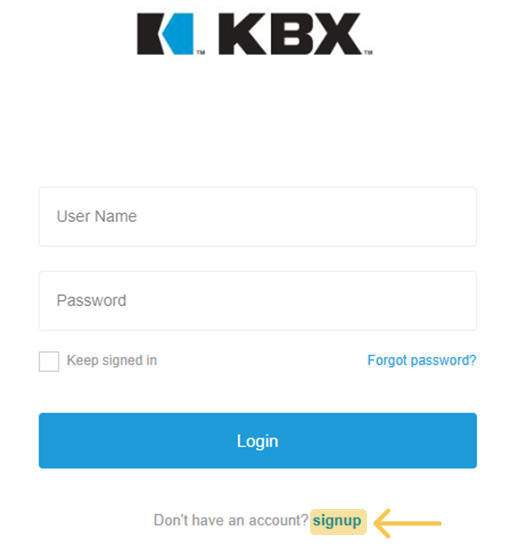
单击 “在此注册 “按钮并填写表格:名、姓、公司名称、用户 ID(在我们的系统中必须唯一)、电子邮件和密码。


Register screen

第 2 步 – 选择您的申请

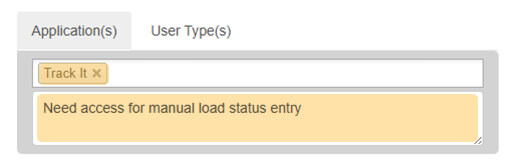
从应用程序选项中选择 “跟踪它”。添加注释以说明您的访问需求(见示例图片)。

Your Application

第 3 步 – 选择用户类型

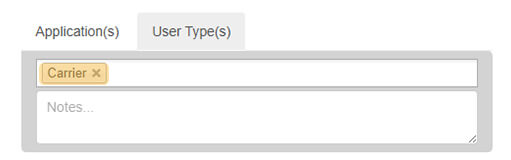
转到 “用户类型 “选项卡,从下拉菜单中选择 “运营商”。

Choose Your User Type

Step 4 – Review and Confirm

  • Read and accept the Terms & Conditions.
  • Click Register.
  • Check your inbox for a confirmation email and verify your address — you won’t be able to log in until it’s confirmed.
  • Once verified, our KBX TM Admin Team will grant you the appropriate security access or reach out for any additional details needed to complete your setup.


手动输入负载状态

If a load tendered through KBX TM is missing a status update, follow these steps to enter it manually.

Reminder: Load status entries are required to process invoices for payment.